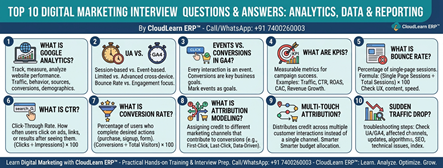
Top 10 Digital Marketing Interview Questions & Answers on Analytics, Data & Reporting

In today’s data-driven marketing landscape, successful digital marketers don’t rely on assumptions—they rely on data, analytics, and measurable insights. Whether you’re optimizing SEO, running Google Ads, managing social media campaigns, or tracking website performance, understanding analytics is a must-have skill.
If you’re preparing for a Digital Marketing interview, recruiters often ask questions related to Google Analytics 4 (GA4), Key Performance Indicators (KPIs), conversions, attribution models, CTR, bounce rate, and reporting.
In this blog, we’ve compiled the Top 10 Digital Marketing Interview Questions and Answers on Analytics, Data & Reporting to help you confidently prepare for your next interview.
By CloudLearn ERP™
📞 Call/WhatsApp: +91 7400260003
1. What is Google Analytics?
Answer:
Google Analytics is a web analytics platform developed by Google that helps businesses track, measure, and analyze website and mobile app performance.
It enables marketers to understand how visitors interact with their websites and identify opportunities to improve marketing performance.
Google Analytics helps businesses analyze:
- Website traffic
- User behavior
- Traffic sources
- Audience demographics
- Conversion performance
- Customer journeys
Benefits of Google Analytics
- Data-driven decision making
- Improved marketing performance
- Better user experience
- Conversion optimization
- Campaign performance measurement
Google Analytics is one of the most important tools used by digital marketers worldwide.
2. What is the Difference Between Universal Analytics (UA) and Google Analytics 4 (GA4)?
Universal Analytics (UA)
Universal Analytics was Google’s previous analytics platform based primarily on session-based tracking.
Key Features
- Session-based data model
- Bounce rate tracking
- Limited cross-device tracking
- Traditional reporting structure
Google Analytics 4 (GA4)
GA4 is the latest version of Google Analytics built around an event-based data model.
Key Features
- Event-driven tracking
- Better cross-platform measurement
- AI-powered insights
- Predictive analytics
- Enhanced privacy controls
- Customer lifecycle reporting
Key Difference
| Universal Analytics | Google Analytics 4 |
|---|---|
| Session-based | Event-based |
| Limited cross-device tracking | Advanced cross-platform tracking |
| Bounce Rate focused | Engagement focused |
| Basic reporting | AI-powered insights |
GA4 is designed to support the future of privacy-focused digital analytics.
3. What are Events and Conversions in GA4?
Events
In GA4, every user interaction is recorded as an event.
Examples of Events
- Button clicks
- Page views
- Video plays
- Downloads
- Scrolls
- Form interactions
Conversions
Conversions are important business events that have been marked as goals.
Examples
- Product purchases
- Form submissions
- Newsletter sign-ups
- Appointment bookings
Key Difference
- Every conversion is an event.
- Not every event is a conversion.
Businesses choose which events are most valuable and mark them as conversions.
4. What are KPIs in Digital Marketing?
Answer
KPIs (Key Performance Indicators) are measurable metrics used to evaluate the success of digital marketing campaigns.
Common Digital Marketing KPIs
- Website traffic
- Click-Through Rate (CTR)
- Conversion Rate
- Return on Ad Spend (ROAS)
- Customer Acquisition Cost (CAC)
- Engagement Rate
- Revenue Growth
KPIs help businesses measure campaign performance and determine whether marketing objectives are being achieved.
5. What is Bounce Rate?
Answer
Bounce Rate is the percentage of website visitors who leave a website after viewing only one page without taking any further action.
Formula
Bounce Rate = (Single Page Sessions ÷ Total Sessions) × 100
A High Bounce Rate May Indicate
- Poor user experience
- Slow website loading speed
- Irrelevant content
- Weak landing pages
- Poor mobile optimization
However, bounce rate should always be interpreted based on website type and user intent.
6. What is Click-Through Rate (CTR)?
Answer
Click-Through Rate (CTR) measures how often users click on an advertisement, search result, email link, or social media post after seeing it.
Formula
CTR = (Clicks ÷ Impressions) × 100
A Higher CTR Usually Indicates
- Relevant advertisements
- Strong headlines
- Effective audience targeting
- Compelling call-to-action (CTA)
CTR is one of the most important performance metrics in:
- SEO
- Google Ads (PPC)
- Email Marketing
- Social Media Marketing
7. What is Conversion Rate?
Answer
Conversion Rate measures the percentage of users who complete a desired action on a website or campaign.
Examples of Conversions
- Purchase
- Registration
- Form submission
- Download
- Newsletter signup
Formula
Conversion Rate = (Conversions ÷ Total Visitors) × 100
A higher conversion rate indicates that marketing campaigns and user experience are effectively encouraging visitors to take action.
8. What is Attribution Modeling?
Answer
Attribution modeling is the process of assigning credit to the different marketing channels that contribute to a customer’s conversion journey.
Common Attribution Models
- First-Click Attribution
- Last-Click Attribution
- Linear Attribution
- Time-Decay Attribution
- Data-Driven Attribution
Why Attribution Matters
Customers often interact with multiple marketing channels before making a purchase.
Attribution modeling helps marketers understand which channels contribute most to conversions, allowing them to optimize marketing budgets more effectively.
9. What is Multi-Touch Attribution?
Answer
Multi-touch attribution distributes conversion credit across multiple customer interactions instead of assigning all credit to a single marketing channel.
Example Customer Journey
- Customer sees a Facebook advertisement.
- Reads a company blog.
- Clicks a Google Search advertisement.
- Completes a purchase.
Instead of giving 100% credit to the final Google Ad, multi-touch attribution recognizes the contribution of all marketing channels involved.
Benefits
- Better customer journey insights
- Improved marketing optimization
- Smarter budget allocation
- More accurate campaign measurement
10. How Do You Analyze a Sudden Traffic Drop?
Answer
When website traffic suddenly decreases, marketers should perform a systematic investigation to identify the root cause.
Troubleshooting Steps
- Review Google Analytics data.
- Identify affected traffic channels.
- Check recent website updates or changes.
- Review Google algorithm updates.
- Analyze technical SEO issues.
- Verify tracking code implementation.
- Check server uptime and website availability.
- Compare device and geographic performance.
- Analyze competitor activities.
- Check indexing and crawl errors in Google Search Console.
Common Tools Used
- Google Analytics
- Google Search Console
- SEMrush
- Ahrefs
A structured approach helps marketers quickly identify issues and restore website performance.
Key Takeaways
Analytics is the foundation of successful digital marketing. Tools like Google Analytics 4 (GA4) empower marketers to understand user behavior, measure campaign performance, and make informed decisions based on real data.
By mastering concepts such as events, conversions, KPIs, CTR, bounce rate, attribution models, and traffic analysis, digital marketers can optimize campaigns, improve ROI, and deliver measurable business results.
Whether you’re preparing for interviews or building a career in digital marketing, strong analytical skills are essential for long-term success.
Learn Digital Marketing with CloudLearn ERP™
At CloudLearn ERP™, we offer industry-oriented Digital Marketing training designed to equip students, professionals, entrepreneurs, and job seekers with practical skills that employers value.
Our Digital Marketing Course Covers:
- Search Engine Optimization (SEO)
- Google Ads (SEM & PPC)
- Google Analytics 4 (GA4)
- Search Console
- Social Media Marketing
- Content Marketing
- Email Marketing & Automation
- Performance Marketing
- AI Tools for Digital Marketing
- Lead Generation
- Marketing Analytics & Reporting
- Live Projects & Interview Preparation
Our hands-on training ensures you gain real-world experience and become job-ready for today’s competitive digital marketing industry.
📞 Contact: +91 7400260003
CloudLearn ERP™
Learn. Analyze. Optimize. Grow Your Digital Marketing Career.
